MCP Is Not Dead. Most Teams Just Haven't Learned How to Evaluate It
Why the current backlash against MCP says more about industry hype cycles than about the real future of agent tooling.
A few months ago, everyone wanted to talk about MCP.
Now the mood has changed. The new hot take is that MCP was mostly hype, it adds unnecessary complexity, and serious builders should just use CLIs.
I think that conclusion is too shallow.
Before going further, it is worth defining the term clearly. MCP (Model Context Protocol) is an open standard for connecting AI applications and agents to external tools, data sources, and workflows. In practical terms, it gives AI systems a structured way to access capabilities beyond the model itself.
The problem was never MCP itself. The problem was that too many people judged it at the wrong layer.
If your world is a solo developer, a local coding agent, and a handful of familiar tools, then yes — CLI is often the better interface. In many of those situations, I would choose it too.
But once you move from individual workflows to team-wide and organization-wide systems, the conversation changes completely. At that point, the real questions are no longer just about tool invocation. They are about security, consistency, observability, distribution, governance, and shared context.
That is exactly where MCP becomes important.
So no — I do not think MCP is dead. I think we are finally reaching the point where the industry needs to stop treating it as a trend and start evaluating it as infrastructure.
The CLI argument is real
To be clear, the pro-CLI argument is not nonsense. In many cases, it is correct.
CLI tools are often an excellent interface for agents, especially when the tools are already widely represented in the model’s training data. Utilities like git, grep, jq, curl, psql, and cloud provider CLIs are familiar territory. Models have effectively seen countless examples of how these tools are used, which means they often require far less guidance than custom APIs or proprietary tool wrappers.
That matters.
It can reduce prompt overhead. It can reduce friction. It can make agent workflows feel faster and more natural. And when combined with shell pipelines, CLIs also make it easy to retrieve, filter, and transform data before it ever enters the model’s context window.
That is a real advantage.
For local, execution-oriented workflows, CLI is often the cleanest abstraction available.
But that is not the same thing as saying it is always the right abstraction.
The moment tooling becomes custom, the story changes
A model may know how to use git. It does not know how to use your company’s internal deployment tool, compliance assistant, incident response utility, or customer operations CLI.
The moment tooling becomes bespoke, the supposed simplicity of the CLI story starts to break down.
Now the model needs to know:
- that the tool exists
- what it is for
- when it should be used
- which commands or subcommands matter
- what parameters it expects
- what success and failure look like
That information has to come from somewhere.
You can put it in README.md, AGENTS.md, CLAUDE.md, internal docs, shell help text, or examples. But you are not escaping the need for structure — you are just relocating it.
This is one of the biggest weaknesses in the current anti-MCP discourse. It acts as though custom CLIs somehow eliminate the context problem. They do not. In many cases, they simply reintroduce it in a less explicit way.
Yes, an MCP tool schema may look verbose. But at least it is structured. At least it provides a machine-readable interface contract. At least the agent is not forced to infer behavior from scattered help text and partial conventions.
That does not mean MCP always wins. It means the debate is far more nuanced than “CLI is lean, MCP is bloated.”
Most of the debate ignores the most important distinction
The biggest misunderstanding in this entire conversation is that people keep talking about MCP as though it were one thing.
It is not.
There is a huge difference between local MCP over stdio and remote MCP over HTTP. Official MCP documentation explicitly distinguishes local and remote connections, and the protocol ecosystem today includes tools, prompts, and resources as first-class concepts rather than only tool calls.
If you are talking about local MCP servers running right beside a local agent, then the skepticism is understandable. In many cases, a direct CLI will be simpler and more practical. For straightforward local workflows, MCP can absolutely feel like extra machinery.
But remote MCP is a different category entirely.
Remote MCP is not just another way to call a tool. It is a way to deliver capabilities across an organization through a controlled, standardized interface.
And that is where the value becomes much more interesting.
Enterprise adoption is not mainly a tool-calling problem
This is where a lot of social media discourse stops being useful.
For real teams, the hard problem is usually not “how does the agent call a function?”
The hard problems are:
- how access is managed
- how internal capabilities are exposed safely
- how instructions stay current
- how usage is monitored
- how multiple teams consume the same systems consistently
- how you avoid every repository becoming its own private prompting experiment
Those are not shell problems. Those are platform problems.
And platform problems are exactly where remote MCP starts to make sense.
A centralized MCP layer gives teams a common way to expose tools, resources, and instructions across different agent environments. It creates a stable delivery mechanism instead of forcing every client and every repo to solve the same problems independently.
That matters much more than people admit.
Because once agents move from demos into daily engineering work, local convenience is no longer the only thing that matters.
Centralization is not the downside — it is the feature
In developer culture, centralization is often treated with suspicion. But at the organizational level, it is frequently what makes a system operable.
A centralized capability layer allows you to put complexity where it belongs: behind a managed service boundary rather than on every laptop, every runner, every ephemeral environment, and every coding agent install.
That unlocks a lot:
- richer backends
- shared state
- internal databases
- policy enforcement
- version control at the platform layer
- standardized interfaces across tools and teams
This is especially important in ephemeral runtimes such as CI jobs, hosted coding agents, cloud sandboxes, and short-lived containers. In those environments, “just install a CLI” is often not the simplification it first appears to be. It can quickly turn into a packaging, versioning, and environment-management problem.
Remote MCP changes that model. The client stays thin. The server owns the complexity.
That is not ceremony. That is leverage.
The tradeoffs are real: latency, cost, and operational overhead
That said, remote MCP is not free.
The moment you move capabilities behind a network boundary, you introduce tradeoffs that local tooling often avoids. Every remote call adds some level of network latency. Even if the overhead is acceptable in many enterprise workflows, it still exists. For fast, tight feedback loops, local execution can remain noticeably better.
There is also an infrastructure cost. A centralized MCP layer needs to be hosted, secured, monitored, versioned, and maintained. Someone has to own uptime, logging, incident response, access policies, and compatibility. Local tooling can often feel “free” by comparison because the operational burden is much smaller and more distributed.
This is exactly why I do not think the right conclusion is “remote MCP everywhere.”
The better conclusion is that teams should be honest about the tradeoff:
- local CLI often wins on speed, simplicity, and low overhead
- remote MCP often wins on governance, reuse, security, and control
That is a much more serious way to evaluate the architecture.
Security looks very different at scale
Security is another area where the CLI-first argument often sounds simpler than it really is.
Local tools that interact with protected systems typically need credentials. The more capabilities you distribute as local binaries or scripts, the more often you end up distributing tokens, secrets, permissions, or configuration to the edge.
That may be acceptable in some environments. It is usually not the model you want if you are designing for scale.
A centralized MCP service gives you a cleaner pattern. Users and runtimes authenticate to one controlled interface, while the sensitive system access remains behind the service boundary. Secrets stay centralized. Access is easier to revoke. Auditability improves. Governance becomes more realistic. The MCP documentation also includes authorization guidance specifically for HTTP-based transports, which reinforces the relevance of this model for remote deployments.
This is not some magical property unique to MCP. It is the operational advantage of exposing capabilities through a managed, standardized layer instead of spreading privileged access across every execution context.
For serious teams, that is a major benefit.
Observability is where maturity begins
The moment an organization starts relying on agents for real work, one question becomes unavoidable:
Do you actually know what those agents are doing?
Not in theory. In practice.
Which tools are being used? Which ones fail most often? Which resources are helpful? Which prompts improve outcomes? Where do agents get stuck? Where is time being wasted? Which workflows generate value?
If you cannot answer those questions, then you are not running a mature agent platform. You are running a loose collection of experiments.
This is one of the strongest arguments for MCP in organizational settings. A centralized MCP layer gives you a natural place for telemetry, tracing, metrics, and usage analysis. It makes it possible to observe behavior systematically instead of relying on anecdotal feedback from individual teams.
Yes, you can instrument local CLI tooling too. But anyone who has worked on internal platforms knows the difference between “possible” and “realistically maintainable at scale.”
Observability wins when the system has a center of gravity.
MCP becomes much more valuable once you stop thinking only about tools
One of the biggest mistakes in this discussion is reducing MCP to function calling.
That misses a huge part of the opportunity.
Organizations do not just need agents that can do things. They need agents that can operate with the right instructions, the right standards, and the right context.
That is why protocol-delivered prompts and resources are so important. Official MCP materials describe three core capability types exposed by servers: tools, resources, and prompts.
Once you can distribute shared guidance, internal playbooks, coding standards, architecture notes, service-specific instructions, and operational documentation through a centralized layer, you are solving a much bigger problem than “tool access.”
You are creating a way to standardize how agents behave across teams and environments.
That is one of the clearest paths away from chaotic prompt sprawl and toward something closer to real agent engineering.
Static markdown scattered across repositories does not scale especially well. Centralized, up-to-date, reusable resources do.
This is where I think many people still underestimate MCP. They evaluate it as an execution protocol when in practice it can become part of the delivery layer for institutional knowledge.
The real debate is not CLI vs MCP
The more useful question is this:
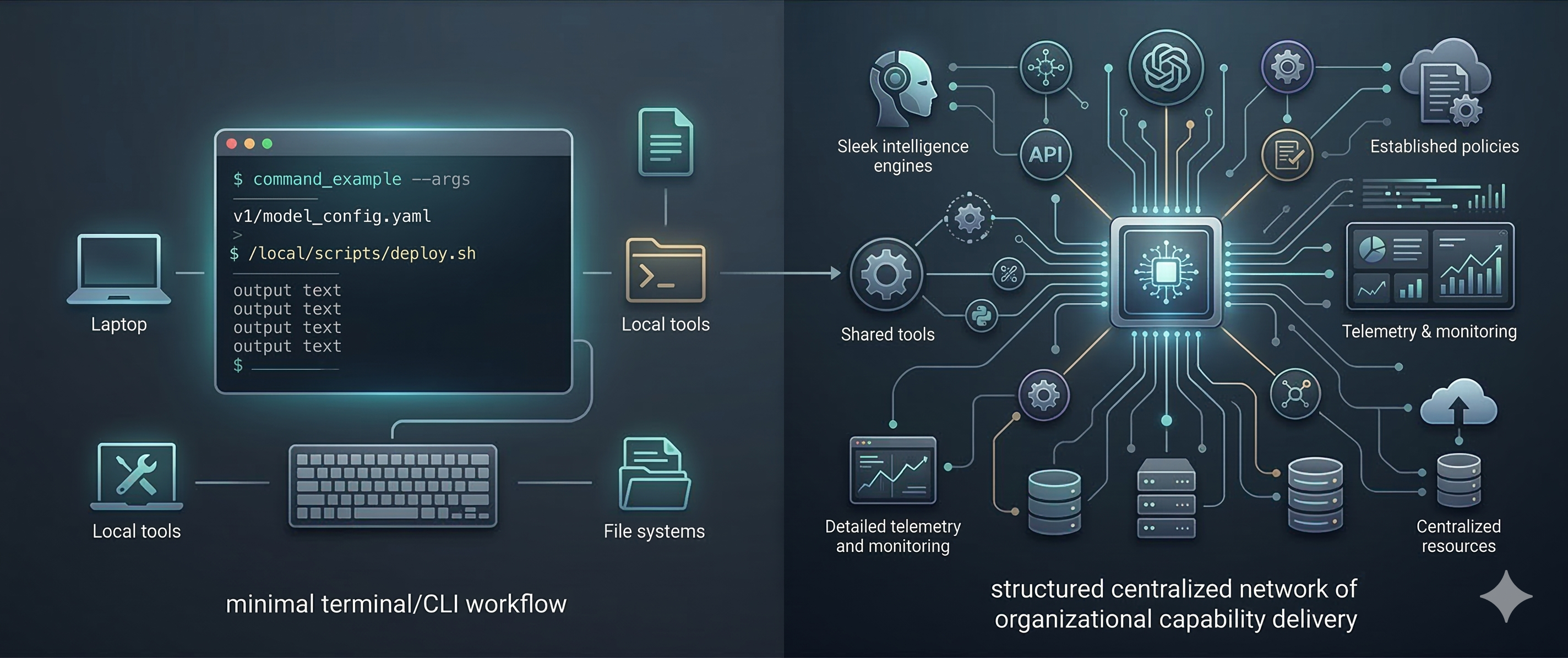
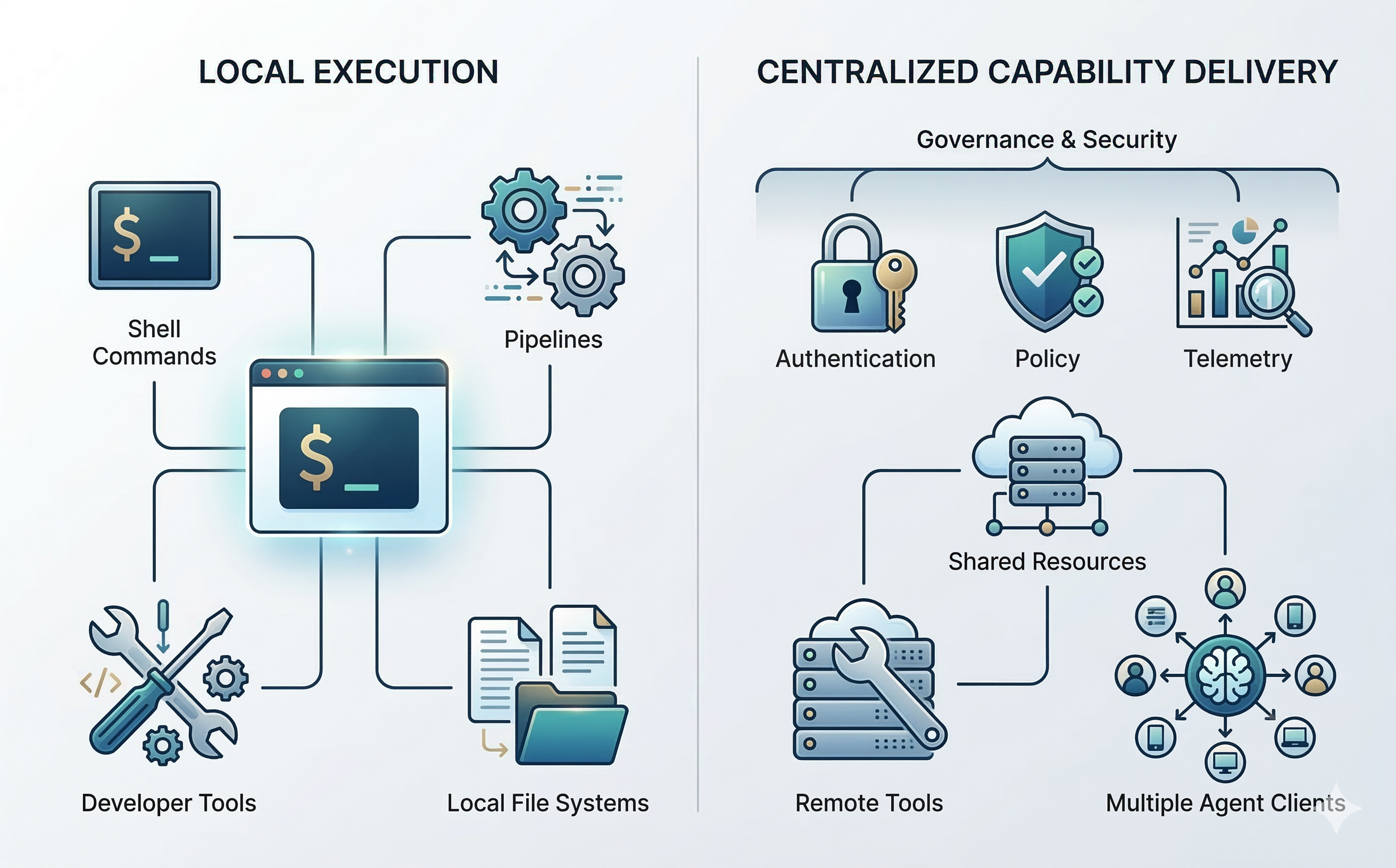
Are you optimizing for local execution, or for organizational capability delivery?
If you are optimizing for local execution, CLI will often be the better answer. It is familiar, flexible, composable, and efficient.
If you are optimizing for organizational capability delivery, then other priorities become more important:
- consistency
- access control
- update propagation
- telemetry
- standardization
- shared instructions
- compatibility across multiple agent clients
That is the territory where MCP becomes much more compelling.
So in my view, the real mistake is trying to force a single winner in a debate where both approaches are useful at different layers.
- CLI is often the right interface for local execution.
- MCP is often the right interface for centralized capability delivery.
Once you frame it that way, the current backlash starts to look far less insightful than it first appears.
The future is probably hybrid
I do not believe the future is “everything becomes MCP.”
And I also do not believe the future is “MCP disappears and everything becomes CLI.”
The more likely outcome is a layered architecture.
Strong teams will continue to use local CLIs where they make sense — especially for familiar developer tools and execution-heavy workflows.
At the same time, they will use centralized interfaces for the things that matter organizationally: secure shared systems, policy-aware capabilities, telemetry, reusable knowledge, and operational control.
Execution may remain local in many places.
But governance, capability delivery, and shared context will centralize.
That is why MCP still matters.
Not because every tool should be wrapped in a protocol. Not because CLIs are wrong. But because organizations need a reliable way to deliver controlled, observable, and always-current capabilities to agents.
That problem is real.
And MCP is still one of the best answers we have.
Final thought
“MCP is dead” is a good social media hook. It is not serious systems thinking.
CLI is useful. In many scenarios, it is the right choice. I use it, I like it, and I expect it to remain a core part of agent workflows.
But once you move beyond personal productivity and start building systems for teams, you eventually run into a different set of constraints. Security matters. Standardization matters. Observability matters. Shared knowledge matters. Operational control matters.
That is the point where local convenience stops being the only metric.
And that is exactly where MCP starts to look less like hype and more like infrastructure.